
They search the job
Junk removal, pressure washing, drywall repair, interior painting, gutter cleaning, furniture assembly. A page for each one can show up for that search and say what the job looks like with you.
Websites for handyman, junk removal, pressure washing and painting companies that bring in job requests you can price from the form. Each job you do gets its own page, the request form takes photos, and the work that has a season is up front when people start searching for it.
PageSpeed Insights on the home pages of the 7 sites we link as our work, measured November 2026, the median of three runs each.
Nobody searches for a home services company. They search for the job in front of them: someone to haul a garage full of junk, wash a deck before a party, patch drywall or paint two bedrooms. The site that has a page for that job, shows work like it and lets them send a photo gets the request.
Junk removal, pressure washing, drywall repair, interior painting, gutter cleaning, furniture assembly. A page for each one can show up for that search and say what the job looks like with you.
Thousands of people a month ask what junk removal or interior painting costs before they call anyone. A page that explains what moves the cost (the load size, the square footage, the prep) earns the request from those people.
A picture of the pile, the stained siding or the hole in the wall says more than a phone call. A form that takes photos lets them send it from the spot.
Pressure washing climbs into spring, house painter searches peak in January, gutter cleaning in the fall. The site can put each job on the home page when its season comes around.
Forty services on one page shows up for none of them. The jobs that pay best each need their own page.
Before and after pictures of a driveway or a cleared garage sell the job in a second. A site with stock photos gives a homeowner no reason to pick you.
Without a photo, every request turns into a site visit or a long call before you can give a number.
Homeowners letting someone into the house or onto a ladder want to know you are insured. One line on every job page settles it.
Junk removal, pressure washing, painting, drywall, gutters, assembly, whichever you want more of, each with your photos, what the job involves and a request form.
The job, the address or ZIP code, a few photos and a preferred day, so you can quote from the form or know what to bring.
A short section on each job page about what makes it cost more or less, written from how you actually quote.
Your finished jobs, grouped by type, with a line on what was done, sized to open quickly on a phone.
Your insurance, any license your state or city asks for, and the towns you cover, on every job page.
Linked to the site, with the same name, hours and service area, and your job photos on the profile too.
Search is part of the build: each job page goes live with its title, heading, schema and internal links in place, and the towns you serve match your Google Business Profile. That gives your pressure washing page a chance at the people searching for pressure washing near them, and the photo form is what turns the visit into a booked job.
For the search work after launch, see SEO for home services businesses.
On top of the speed, accessibility, SEO, hosting handover and training that come with every build.
Some home services sites carry a small moving scene drawn from the work. This one is a demo we drew for a plumbing company, with no real business in it. A handyman or painting site could carry one built from its own tools and jobs.
Burst pipe? Call us today.
Water runs through the pipes and speeds up as the pointer moves across. Clicking or tapping the scene opens the valve for a moment.
A pest control company with a page per treatment, a plumber and an air conditioning business, each with a tool customers use before they book. Open them on your phone.
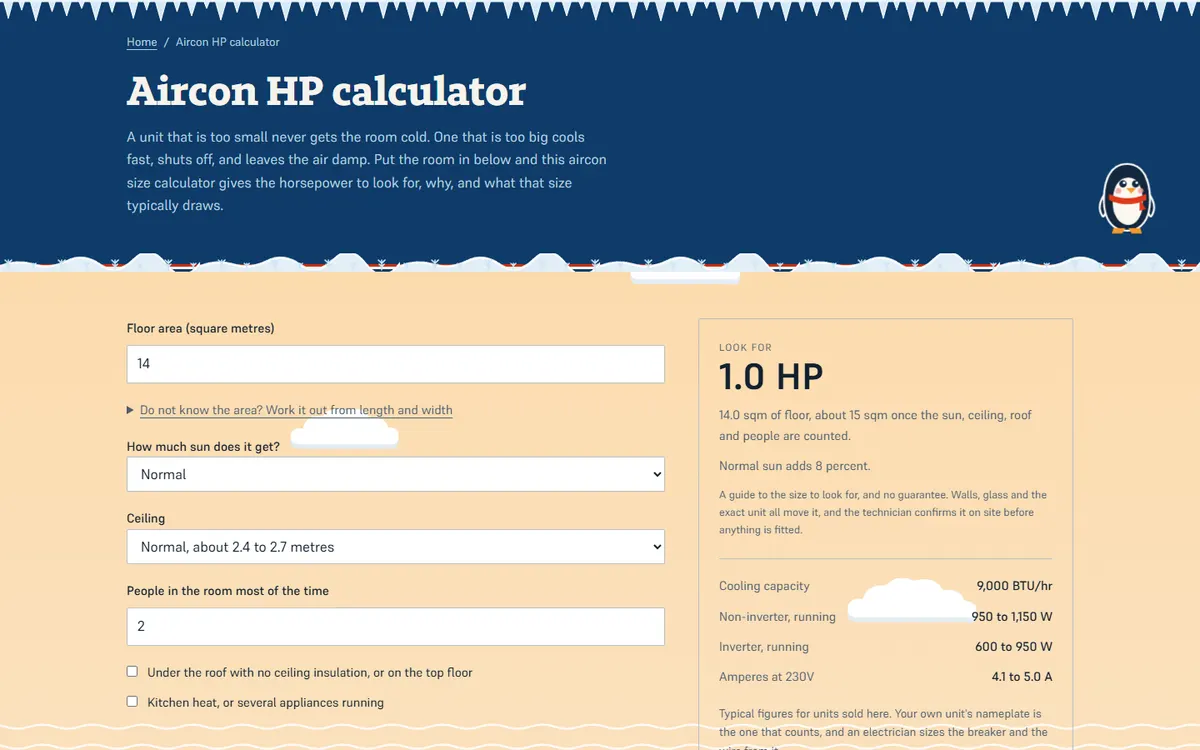
Open the live site of the aircon repair business (opens in a new tab)
A home-services site for an aircon cleaning and repair business, with two calculators customers use before they book.

Open the live site of the pest control company (opens in a new tab)
A home-services site for a pest control company: a page for each treatment, a library of pest guides and a droppings identifier.
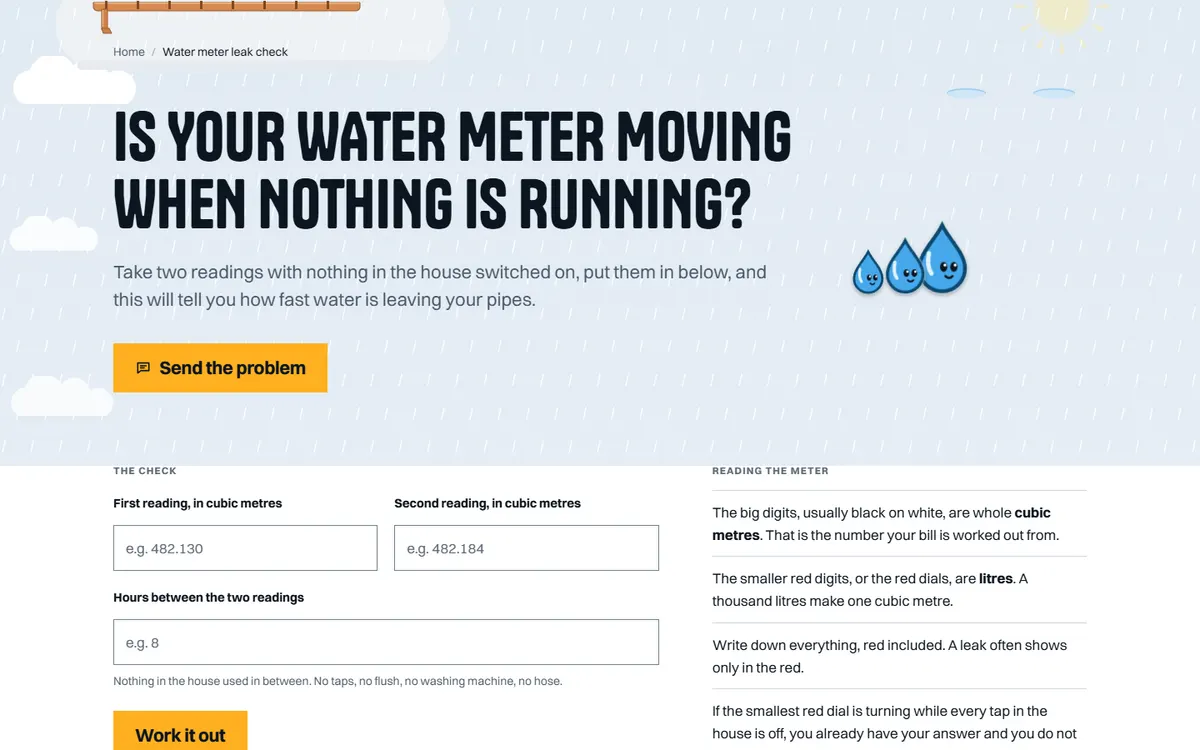
Open the live site of the plumbing business (opens in a new tab)
A home-services site for a plumber open seven days, with a water meter leak check customers run themselves.
Six stages on every site, whichever platform it is built on. The scope and the quote are agreed in writing after the first call, before any design starts.
01
What the site has to do, who it is for and what exists today. If there is a site already, we read its Search Console first, because the pages earning impressions decide what the new one must keep.
02
Every page listed with the search it answers and the action it asks for. On a redesign, every old URL is written beside its new home. You sign the map off before design starts.
03
Pages designed with your actual words and pictures, at phone width first. You review in the browser, on a staging address search engines are told to ignore.
04
Titles, descriptions, headings, schema and internal links are written as each page is built, so nothing is added at the end by somebody who never saw the page map.
05
Speed measured on a phone, every page at 320px wide and at 200 percent text, keyboard and screen reader checks, forms sent and received, redirects tested against the new build.
06
The switch, then Search Console read daily for two weeks. The domain, hosting and logins stay in your name, with a written note of how the site is built and a recorded session on editing it.
Speed
Measured in PageSpeed Insights on a phone before launch. Images sized for the slots they fill, fonts that do not block the page, no script a page does not use.
Accessibility
Text contrast, keyboard use, visible focus, alt text written for each picture, 44px tap targets on phones, and every page readable at 200 percent text.
SEO foundations
One title, description and H1 per page, schema, a sitemap that matches the site, clean URLs, redirects from every old address, and Search Console set up in your name.
Hosting handover
The domain, the hosting and every login in your name. We set the site up on your host, recommend one, or host it for you; either way you can move it.
Training
A recorded call showing whoever edits the site how to change a page, add a post and swap a picture, and a short written guide to keep beside it.
Two weeks after launch
Search Console, forms and errors checked daily for the first two weeks, and anything the launch broke fixed straight away.
It mostly comes down to how many job pages you want and whether requests go into the scheduling tool you use. We talk it through on a short call and send a fixed quote in writing.
Only the ones you want more of. Small jobs you take when they come up can sit on a general page. The jobs that pay best get their own.
Yes. The form takes several photos from a phone, and they arrive with the request in your inbox.
Often, yes, if your software accepts requests from a website. If it does not, the requests come to your inbox with every detail and the photos.
Each job page is written for the words people type, with your towns and the schema in place and your Google Business Profile linked. Your reviews and the other companies near you decide a lot of it as well, so on the call we look at what your searches show today.
You own it outright. The domain is in your name, and the site and its files go with you if you ever move.
A 30-minute call in your business hours. Tell us what work you want more of and where, and we will tell you what we would do first and what it involves. Prefer to write? Use the form, with or without a website, and the Passieon Team will reply within two business days.
Message us
Ask anything about your site or where your inquiries are going. It goes straight to a person, not a bot. Leave an email and you get a reply.